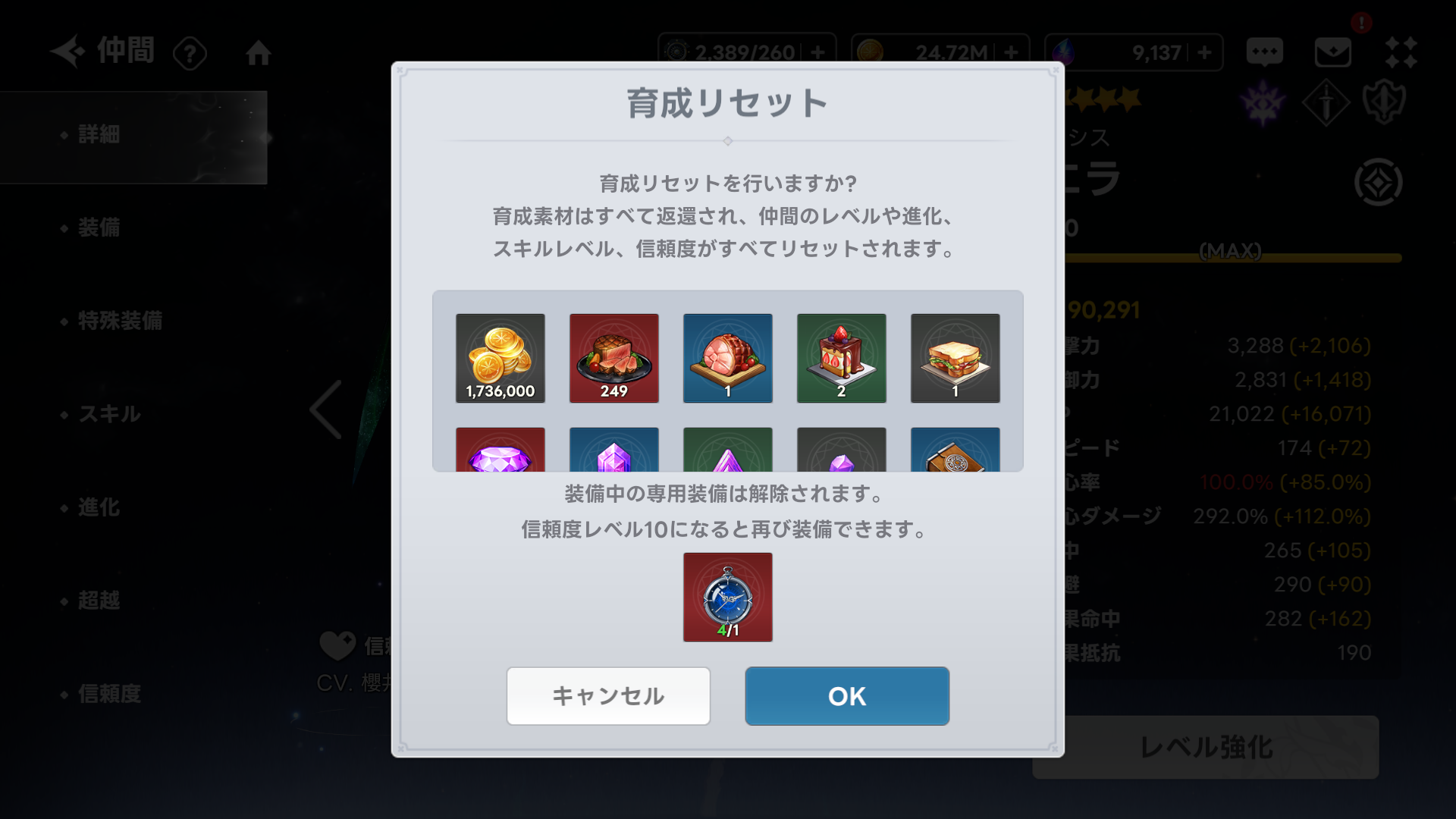
When you reset a Companion's progression, you can use a Time Reminder.
Please follow the steps below to use the feature:
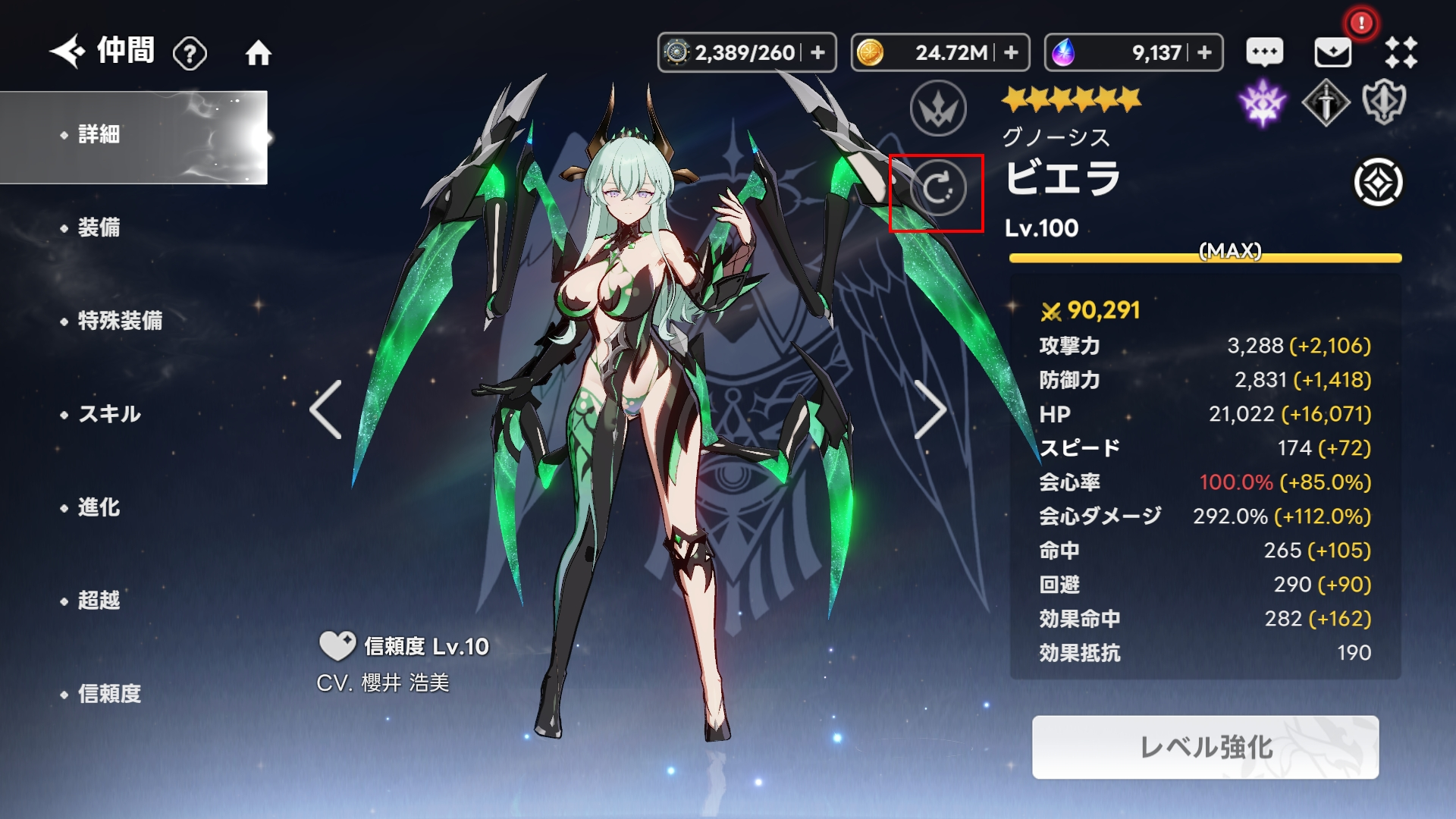
Open the Companion screen.
Select the Companion you wish to reset.
Tap the Details tab at the top.
Select the rotating circular icon (Reset mark) displayed to the left of the character's name.
- The Growth Reset screen will appear, where you can use the Time Reminder.